Every website, rendered from inside the Grid. Press Alt+G (⌥+G on a Mac) on any page. Press it again and the page is exactly what it was.
Two modes
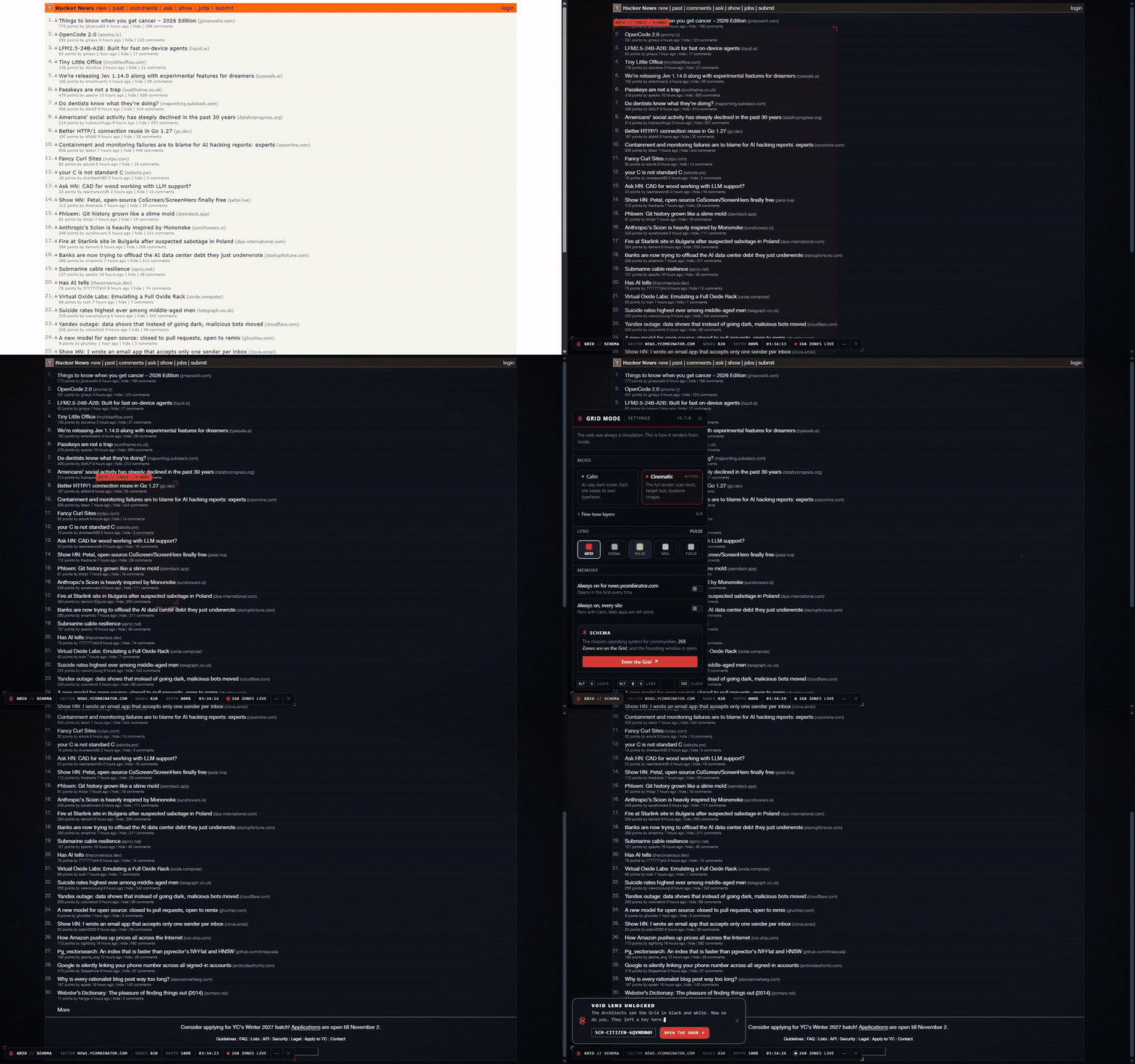
- Calm is a dark mode for the whole web: navy surfaces, clean cards, the site's own fonts, and colours that keep their meaning (red stays red, green stays green). Leave it on all day.
- Cinematic is the full render: a scan line boots the page, target-lock brackets name whatever you point at, headlines decode as they scroll in, images go duotone (hover for true colour), and a light follows your cursor across the grid.
Keys
| Key |
What it does |
| Alt+G |
Enter or leave the Grid |
| Alt+Shift+G |
Next colour lens |
| Esc |
Close the settings panel |
Click GRID // SCHEMA in the bottom toolbar for the settings: mode, five lenses (previewed live as you hover), each layer on its own switch, and always on for one site or every site.
Details
- It follows you. Turn it on and it stays on as you browse that site, in that tab.
- Always on skips the pages where a restyle gets in the way: editors, design tools, maps and video calls.
- Code stays code. Source keeps a monospace face, icons stay icons, logos stay readable.
- The toolbar folds into a single mark; hover to peek, pin it open again.
- Fast. Each element is read once and never restyled twice. On a 17,000-element article: 0.17 s of long tasks while scrolling, against 0.11 s for the plain page.
- Strict pages work. No
innerHTML, CSP-safe stylesheets, an isolated layer for its own UI.
Privacy
No analytics, no tracking, no identifiers. While the Grid is on, the toolbar asks schema.cx for one public, cookieless number (how many Zones are live), at most once every 30 minutes. Settings stay in your userscript manager.
A site looks wrong?
Open an issue with the address. That's the part only you can find.
Some things in the Grid are found, not explained.
Source: github.com/sch8ma/grid-mode · MIT · Made by Schema, the mission operating system for communities.dark mode
theme
cyberpunk
terminal
