

YouTube A/B Loop
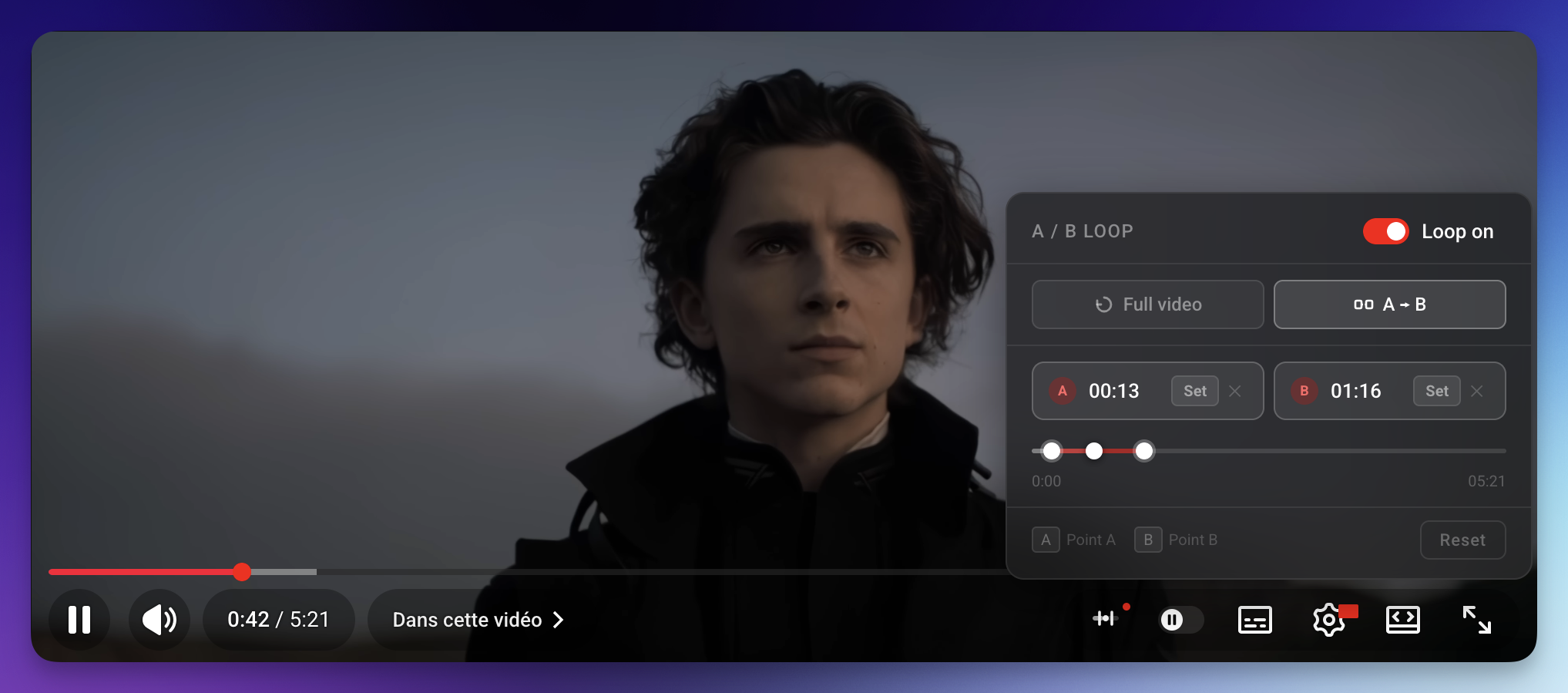
A lightweight userscript that adds a native A/B loop panel directly into the YouTube player — no extension, no bloat. Works with ScriptCat, Tampermonkey, and any compatible userscript manager.
Features
- A → B loop — set two timestamps and loop between them indefinitely
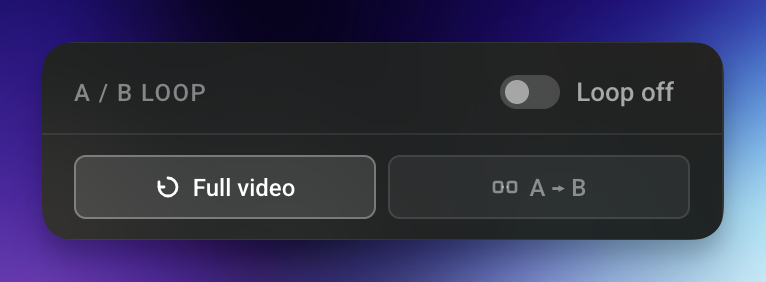
- Full video loop — restart the entire video automatically on end
- Mini timeline — draggable thumbs for A, B and the playhead, with a highlighted range overlay
- Keyboard shortcuts — press
AorBto set points at the current time - Auto-update banner — the panel shows a notification when a newer version is available on GitHub
- Native look — glass-morphism panel that matches YouTube's own UI style
- Zero performance waste — RAF-based render loop with per-frame value caching; only writes to the DOM when something actually changes
Screenshots
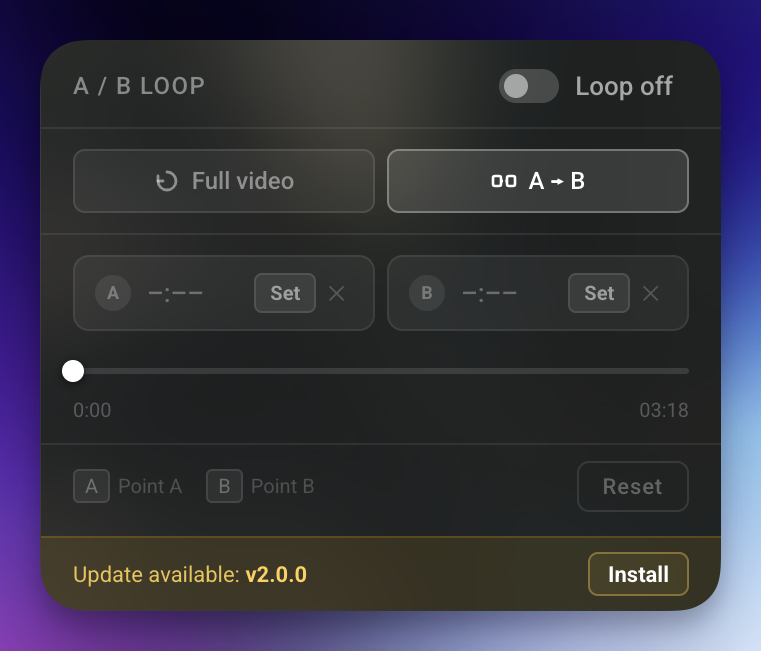
| Panel — A/B mode | Panel — Full video mode |
|---|---|
 |
! |
Installation
Requirements
A userscript manager installed in your browser. Recommended options:
| Manager | Browsers | Link |
|---|---|---|
| ScriptCat ⭐ | Chrome, Firefox, Edge | scriptcat.org |
| Tampermonkey | Chrome, Firefox, Edge, Safari | tampermonkey.net |
| Violentmonkey | Chrome, Firefox, Edge | violentmonkey.github.io |
One-click install
Click the link below — your userscript manager will open an install prompt automatically:
Manual install
- Open ScriptCat (or Tampermonkey) → Create a new script
- Paste the contents of
youtube-loop.js - Save (
Ctrl+S)
Usage
| Action | How |
|---|---|
| Open the panel | Click the ⊞ button in YouTube's right toolbar |
| Set point A | Click Set on the A card, or press A |
| Set point B | Click Set on the B card, or press B |
| Clear a point | Click ✕ next to the point |
| Enable loop | Toggle the Loop off / Loop on pill switch |
| Switch mode | Click Full video or A → B |
| Reset everything | Click Reset |
| Seek | Click anywhere on the mini-timeline, or drag any thumb |
Tip: You can set A and B while the video is playing — the loop activates immediately.
Auto-update
ScriptCat and Tampermonkey both check for updates automatically (once per day by default) using the @updateURL and @downloadURL directives in the script header.
When a new version is published on GitHub, a yellow "Update available" banner also appears at the bottom of the panel with a direct Install link.
To bump the version yourself, update both:
@versionin the userscript headerCURRENT_VERSIONconstant in the code
How it works
tryInject()  →  inject()
                  ├── mountUI()         — injects CSS + builds DOM
                  ├── setupModeSelector()
                  ├── setupPanelToggle()
                  ├── setupLoopToggle()
                  ├── setupPointButtons()
                  ├── setupTimeline()
                  ├── setupKeyboard()
                  ├── startRenderLoop() — RAF loop, enforces A/B boundary
                  └── checkForUpdate()  — async GitHub version fetch
Navigation between YouTube videos is handled via a MutationObserver on <title> (lightweight — fires only on SPA navigations, not on every DOM change). Each page gets a fresh isolated session object — no stale state between videos.
Development
# Clone
git clone https://github.com/Black0S/Youtube-Loop-UserScript-.git

# Edit
# youtube-loop.js is a single self-contained file — no build step required.

# Test
# Install locally via ScriptCat or Tampermonkey, open any YouTube video.
When releasing a new version:
- Bump
@versionin the header (e.g.1.0.0→1.1.0) - Bump
CURRENT_VERSIONconstant to match - Push to
main— ScriptCat, Tampermonkey, and the in-panel banner will all pick it up automatically
License
MIT © Black0S